Radiance 11 Theme
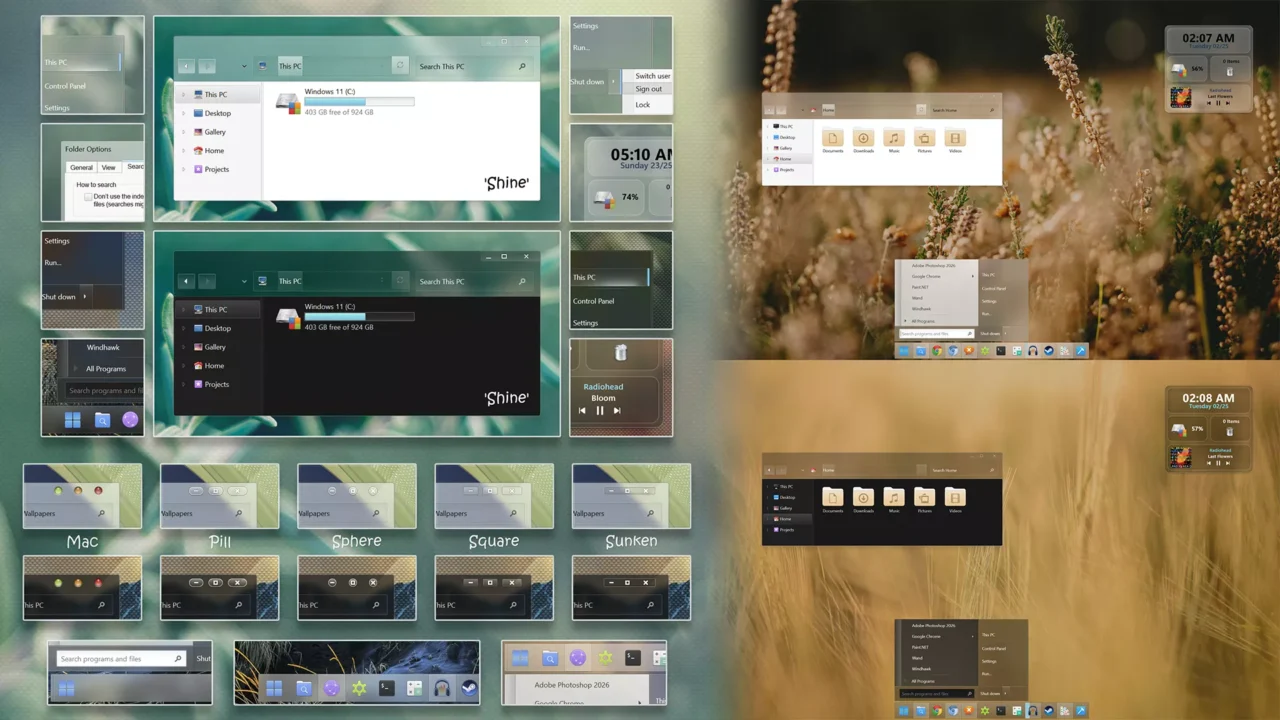
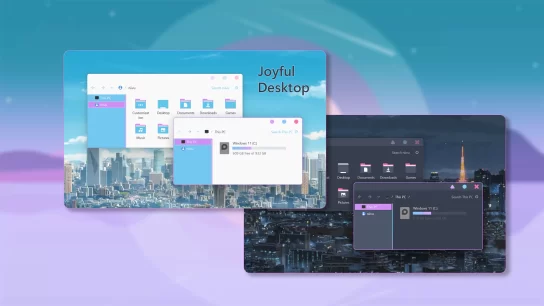
The Radiance 11 Theme redefines Windows 11 customization with an expansive collection of 24 meticulously crafted visual styles, offering unmatched versatility through light, dark, and night modes—with or without address bar configurations to match your preferred workflow. Engineered for enthusiasts who demand both elegance and performance, Radiance 11 pairs seamlessly with DWMBlurGlass to deliver a flawless aero glass explorer experience, restoring the iconic translucent aesthetic with modern refinement. Every theme variant has been optimized for crisp rendering and system stability, ensuring your desktop looks stunning without sacrificing responsiveness.
Beyond its core visual styles, this comprehensive pack extends transformation across your entire desktop environment. A dedicated Windhawk Resource Redirect icon pack modernizes system icons, while dock and navigation panel icons in .ico format provide cohesive toolbar aesthetics. The included Rainmeter skins add dynamic, customizable widgets to your desktop, and StartAllBack integration delivers bespoke taskbar and start menu skins that complete the immersive overhaul. Rounding out the package is a curated wallpaper collection designed to complement every theme variant, giving you a polished, professional Windows 11 experience from startup to shutdown.
Make your customization awesome by installing this theme’s appropriate Windows 7TSP icons.
What Is Included in This?
- Themes – 24 styles: light, dark, night with or without address bar (NA)
- Dock and navigation panel icons (.ico)
- Windhawk Icon pack (Resource Redirect Mod)
- Wallpapers
- Rainmeter skins
- StartAllBack Start Menu and Taskbar skins
Installation steps:
- I recommend creating a restore point before starting your customization.
- This third-party theme will only work if you install Theme Patcher, so definitely install Theme Patcher.
- If you’re new to customization, check out this page that explains in detail how to install Windows custom themes.
- Watch the video tutorial on my YouTube channel for a visual guide on Windows custom themes customization.
- Theme support: Windows 11 (This theme is supported by Windows 10, but File Explorer will be square. Use this for experienced users.)
сосал?
Сосал?