There are a lot of people who are interested in Mac and some of them want to change the windows they use to look like Mac - Mac Dock for Windows
Posted on March 13, 2023 |
By VIN STAR
Mac Dock for Windows
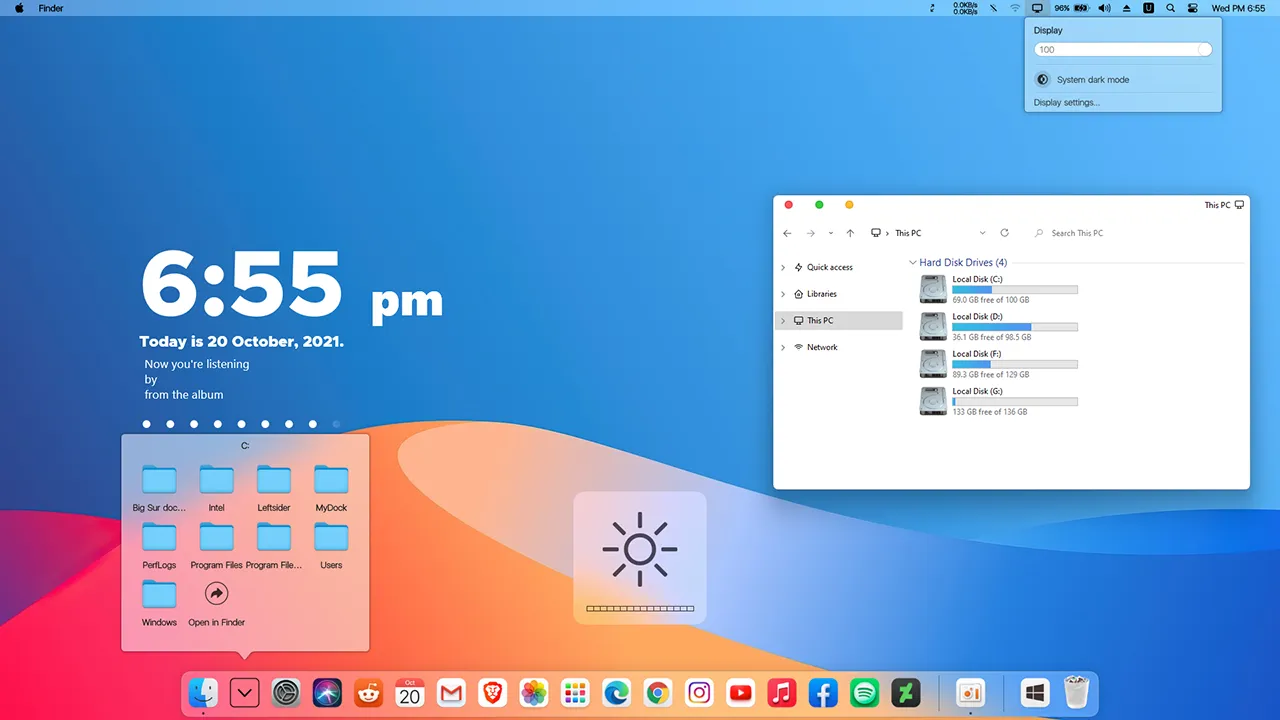
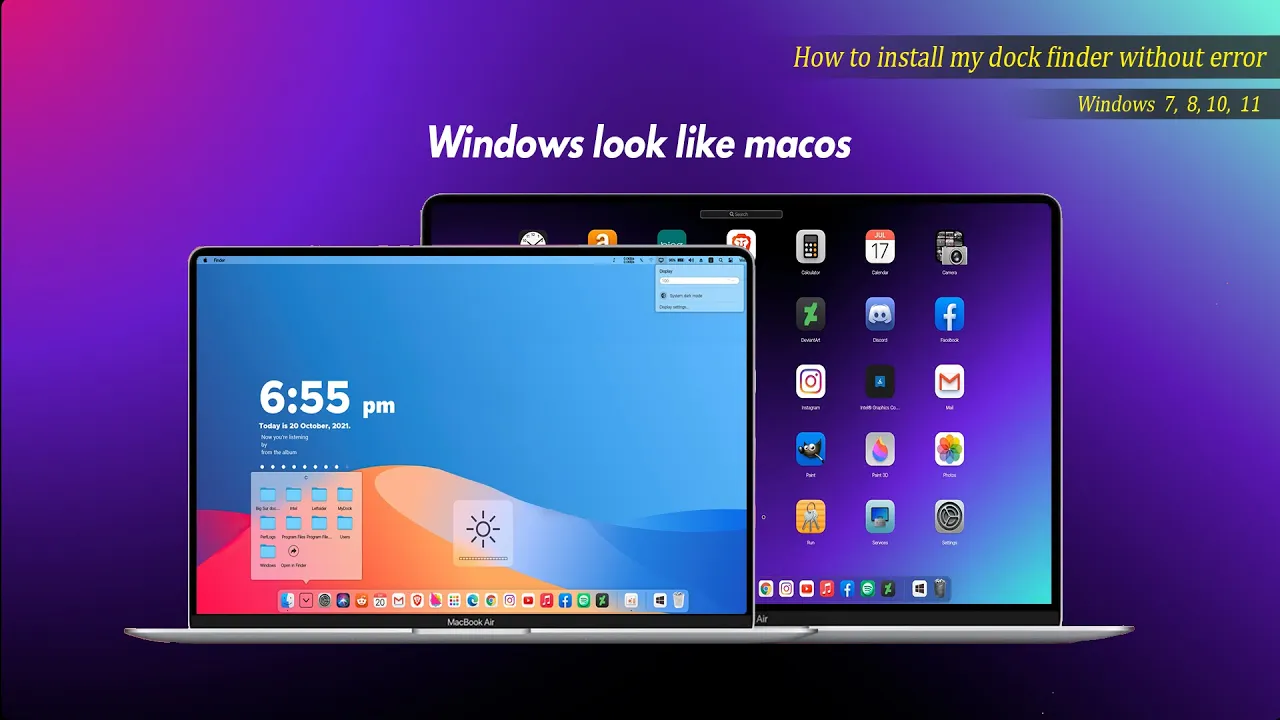
There are a lot of people who are interested in Mac and some of them want to change the windows they use to look like Mac. This dock is one of the best available for people who are interested. It works like a Nexus Doc but has a Mac taskbar and some Mac animations. This software is not a hacker system and does not require a system restart. It must open the running program, complete customized settings and disguise itself as Mac OS. It will start automatically after boot. Then you can enjoy the animation effect of Mac OS at any time
How to install this Mac Dock
For windows 10 and windows 11
Requirements
OS : Windows 10 (version 1809 and higher), supports Windows 11
Processor : Dual-core processor 1.2GHz
Memory : 2 GB RAM
Graphics : Support DirectX11 graphics card, 512M video memory
OS : Windows 7,Windows 8 and Windows 8.1(Win7 Home Basic is not available)
Processor : CPU-1GHz and above Dual Thread
Memory : 2 GB RAM
Graphics : Support DirectX11 graphics card, 512M video memory
DirectX : Version 9
Storage : 20 MB available space
Additional Notes : VC++2019 runtime library 32 and 64 bit .NET framework 4.5
MyDockFinderWindows 7 / 8 / 8.162.3MB
Download
Mydockfinder
Most Windows users would like to bring the mac look to their Windows. I am sure that they will be satisfied with these mydockfinder application. This is because you can drag and drop to add your favorite programs or files in mac format and directly use the program to open the file. GPU rendering based on Windows UI, smooth animation effects
Get your favorite themes and iconsto enhance the look of your Mac
Follow My Channel: VINSTAR
Unfortunately it doesn’t work on “Windows 10 22H2 Version 10.0.19045.3324” and throws a Chinese error which translated to English goes: can’t install on windows above 10.
Which is weird because i have windows 10!!
same Error for me and there was chinese message i trasnlated it on Google and it says NOt for Windows 10??
Please my vga card only supports directx 10 and can’t run dockfinder minimize animation. Any help bro
i should have said can the stock windows 11 macdock icons be replaced with ico or png icons
can icons be customized in macdock for windows 11
Yes you can change the icon by drag and drop your custom icon on the dock
How to delete this software from my pc
i got it this time around. My windows OS version was not up to date. i love everything about this! Thank you so much!
Thank you for the speedy reply! While watching your tutorial, i notice files within your folder change. Something is added or is deleted after running MyDock.exe. i tried your suggestion but produced the same result. Would it be better and or easier if just restore checkpoint and go through it again? Thank you for your time.
i got it this time around. My windows OS version was not up to date. i love everything about this! Thank you so much!
Hi, love your work and appreciate you! ran into an issue when running MyDock.exe, nothing happens and lose my windows taskbar. Any insight on how to remedy? installed new vc but no luck.
Notice that your computer deletes anything in the folder you extracted.
Run MyDock.exe with run as administrator.
If the taskbar is hidden after installing Dock, click show taskbar in Finder and it will reveal your default taskbar.
When someone writes an post he/she maintains
the idea of a user in his/her brain that how a user can understand it.
Thus that’s why this article is outstdanding. Thanks!
now my windows changed to mac
As I website possessor I believe the content matter here is rattling excellent , appreciate it for your hard work. You should keep it up forever! Good Luck.
Unfortunately it doesn’t work on “Windows 10 22H2 Version 10.0.19045.3324” and throws a Chinese error which translated to English goes: can’t install on windows above 10.
Which is weird because i have windows 10!!
same Error for me and there was chinese message i trasnlated it on Google and it says NOt for Windows 10??
Please my vga card only supports directx 10 and can’t run dockfinder minimize animation. Any help bro
i should have said can the stock windows 11 macdock icons be replaced with ico or png icons
can icons be customized in macdock for windows 11
Yes you can change the icon by drag and drop your custom icon on the dock
How to delete this software from my pc
i got it this time around. My windows OS version was not up to date. i love everything about this! Thank you so much!
Thank you for the speedy reply! While watching your tutorial, i notice files within your folder change. Something is added or is deleted after running MyDock.exe. i tried your suggestion but produced the same result. Would it be better and or easier if just restore checkpoint and go through it again? Thank you for your time.
i got it this time around. My windows OS version was not up to date. i love everything about this! Thank you so much!
Hi, love your work and appreciate you! ran into an issue when running MyDock.exe, nothing happens and lose my windows taskbar. Any insight on how to remedy? installed new vc but no luck.
Notice that your computer deletes anything in the folder you extracted.
When someone writes an post he/she maintains
the idea of a user in his/her brain that how a user can understand it.
Thus that’s why this article is outstdanding. Thanks!
now my windows changed to mac
As I website possessor I believe the content matter here is rattling excellent , appreciate it for your hard work. You should keep it up forever! Good Luck.
Wow nice
ikr this perfect thank you
teri bahen ki chott sale kutte ke bachy